
 Download
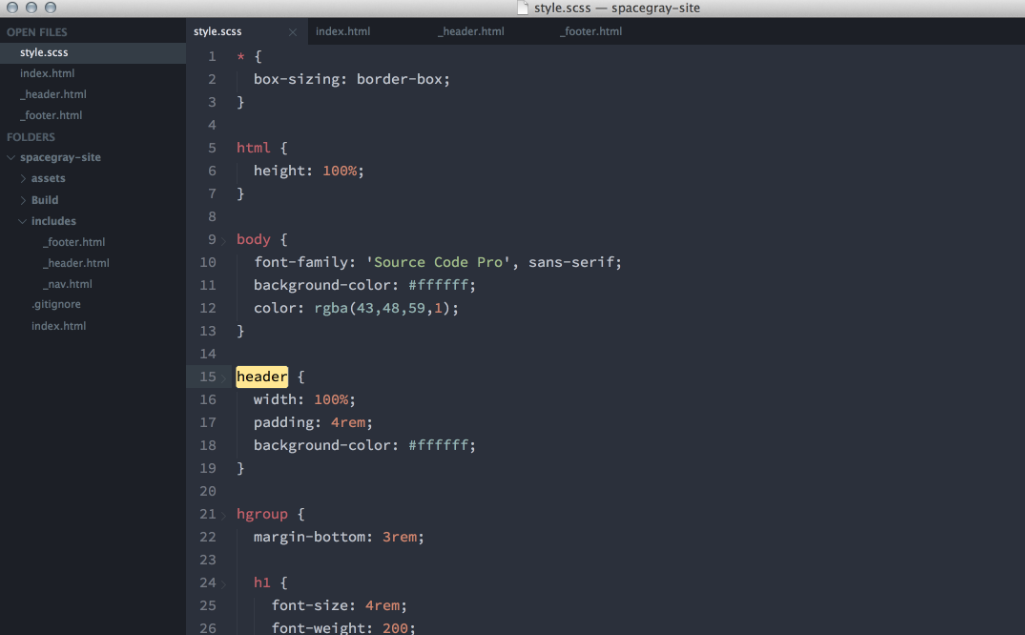
A set of custom UI themes for Sublime Text 2/3. It's all about hype and minimal. Comes in different flavors with accompanying Base16 color schemes. Default flavor based on Base16 Ocean Dark color scheme. The easiest way to install is using Sublime Package Control, where Spacegray is listed as Theme - Spacegray. Activate the UI theme and color scheme by modifying your user preferences file, which you can find using the menu item Sublime Text -> Preferences -> Settings - User (⌘, on Mac). You can choose whichever flavor you like, but don't forget to change both color scheme and UI theme so they match.
Features
- Default flavor based on Base16 Ocean Dark color scheme
- Light variation based on Base16 Ocean Light color scheme
- A variation based on Base16 Eighties Dark color scheme
- Hide navigation icons in Sublime Text 3
- Enable sidebar fileicons (only works in Sublime Text 3)
- Disable custom OSX Title Bar in Sublime Text 3
Project Samples

Categories
User Interface (UI)License
MIT LicenseFollow Spacegray
Other Useful Business Software
Inventory and Order Management Software for Multichannel Sellers
We are the most powerful inventory and order management platform for Amazon, Walmart, and multichannel product sellers. Centralize orders, product information, and fulfillment operations to run more efficiently, sell more products, and stay compliant with marketplace requirements so you can grow profitably.
Rate This Project
Login To Rate This Project
User Reviews
Be the first to post a review of Spacegray!



