
 Download
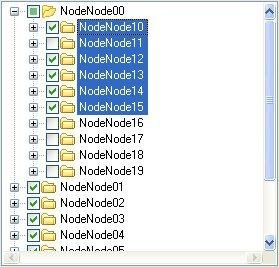
Extensible advanced TreeView. 100% management C# code. Features: Model/View architecture. Multicolumns. Multiselection. Different controls for each node: CheckBox, Icon, Label... Drag&Drop highlighting. Load on demand. Incremental search.
Project Samples


Categories
User Interface (UI)License
BSD LicenseFollow TreeViewAdv for .Net
Other Useful Business Software
Next-Gen Encryption for Post-Quantum Security | CLEAR by Quantum Knight
CLEAR by Quantum Knight is a FIPS-140-3 validated encryption SDK engineered for enterprises requiring top-tier security. Offering robust post-quantum cryptography, CLEAR secures files, streaming media, databases, and networks with ease across over 30 modern platforms. Its compact design, smaller than a single smartphone image, ensures maximum efficiency and low energy consumption.
Rate This Project
Login To Rate This Project
User Reviews
-
it's performance is very good.
-
Great Control! Have you thought about multi-line text for a node label? Here is something I found on the web that may help (This is from a syncfusion control but it may be helpful): How to create Multiline text nodes in TreeViewAdv control MultiLine text node can be created using OwnerDrawNode property. Subscribe to the event BeforeNodePaint and change the size of the TreeNodeAdv according to the size of the string.Size of the string could be calculated by using MesureString method.Then draw the text using Draw method C# // Creating multiline text nodes private void treeViewAdv1_BeforeNodePaint(object sender, Syncfusion.Windows.Forms.Tools.TreeNodeAdvPaintEventArgs e) { // Paint a custom background around the text area: TreeNodeAdv node = e.Node; Brush foreBrush = new SolidBrush(Color.Red ); System.Drawing.SizeF tSize = e.Graphics.MeasureString( "MultiLine \nText", node.Font ); e.Node.Height = tSize.ToSize().Height; e.Graphics.FillRectangle(new SolidBrush(Color.LightBlue ), e.Node.Bounds.X , e.Node.Bounds.Y , e.Node.Bounds.Width , e.Node.Height ); e.Graphics.DrawString("MultiLine \nText", node.Font, foreBrush, node.TextBounds.Right + 2,node.Bounds.Y + (node.Height-node.TextBounds.Height)/2); }
-
The library looks good. But I cannot find a documentation or manual anywhere. That largely increased the complexity to use the library. Looking at the sample code is not so straight forward.
-
In GifDecoder.cs, instead of public GifFrame GetFrame(int n) { if ((n >= 0) && (n < frameCount)) return (GifFrame)frames[n]; else throw new ArgumentOutOfRangeException(); } I have a suggestion as follows: public GifFrame GetFrame(int n) { return (GifFrame)frames[n % frameCount]; } How about this idea? In DataTableTreeExample.cs, I set DataGridView1's AllowUserToAdd to False. In addition, I make a method to handle CellEndEdit of dataGridView1 as follows: private void dataGridView1_CellEndEdit(object sender, DataGridViewCellEventArgs e) { m_dataTableModel.Refresh(); treeViewAdv1.ExpandAll(); } How do you think about it? Best regards Hong
-
Very nice app :)



