

Description
Program to control Virtual Input Devices via physic Input Devices.
Supported Virtual Input Devices:
vJoy (Virtual Generic Joystick)
vXbox (Virtual Xbox 360 Gamepad)
vKeyboard (Simulated Keyboard)
vMouse (Simulated Mouse)
Supported Physic Input Devices:
Keyboard
Mouse
Joystick
System Requirements
Operating system: Windows XP, Windows 7, Windows 8, Windows 10
Additional software: NET Framework 4
Notes:
For Windows 7, for the virtual Xbox 360 Gamepad to work correctly, you need to install the following components: Microsoft Xbox 360 Accessories, Microsoft Security Advisory 3033929
Features
- Available output devices: vJoy, vXbox, vKeyboard, vMouse.
- Available input devices: keyboard, mouse, joystick.
- Support multiple keyboards, mouses input
- Creating custom controls
- Support keyboard, mouse lock
- Support network (TCP, UDP)
Project Samples
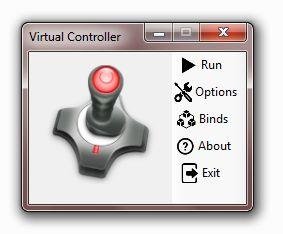
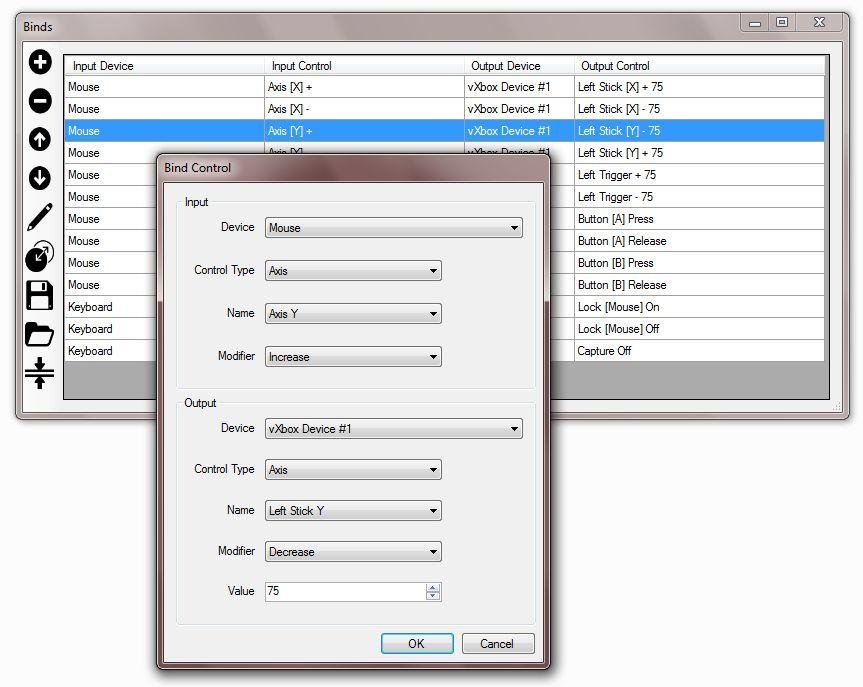



Follow Virtual Controller
Other Useful Business Software
Turn traffic into pipeline and prospects into customers
Docket is an AI-powered sales enablement platform designed to unify go-to-market (GTM) data through its proprietary Sales Knowledge Lake™ and activate it with intelligent AI agents. The platform helps marketing teams increase pipeline generation by 15% by engaging website visitors in human-like conversations and qualifying leads. For sales teams, Docket improves seller efficiency by 33% by providing instant product knowledge, retrieving collateral, and creating personalized documents. Built for GTM teams, Docket integrates with over 100 tools across the revenue tech stack and offers enterprise-grade security with SOC 2 Type II, GDPR, and ISO 27001 compliance. Customers report improved win rates, shorter sales cycles, and dramatically reduced response times. Docket’s scalable, accurate, and fast AI agents deliver reliable answers with confidence scores, empowering teams to close deals faster.
Rate This Project
Login To Rate This Project
User Reviews
-
program is so good but Add a mouse input blocker: When the software is activated, the mouse input should be fully remapped to the controller, preventing both the mouse and controller from functioning simultaneously. This will help avoid various in-game bugs. Thank you all for this software!
-
Please design a function that, for example, we can control a mouse axis by holding two ctrl + alt keys.... That is, add inputs of two keys from the keyboard or three keys at the same time... Please also fix the interference between the pc remot program and this program Thanks for all your hard work... Unfortunately, I am Iranian and due to the sanctions, I cannot donate If I could, I would definitely let you know... I'm proud of you
-
Really appreciate this awesome app. Thanks for using this app, I can make a camera rotation outside view automatically in MSFS 2020.
-
This tool is awesome! Totally powerful program; you can create a lot of good stuff. The challenge is to understand and mindset yourself in "event programming technics" (specially if you don´t have some experience in programming; but could be solved adding more code snippets or assistants to show cool transformations). With this software you could use cheap and usual human interface hardware to emulate the hi-end and expensive ones (much difficult to get in my country, as example... search "Hotas Warthog 15cm extension" in youtube.) I'm flight simulation fan and I've figure out how to translate the mouse movement in a high precision virtual joystick (I assume similar response to Warthog with a 20cm extension). Create shifted functions, like get 4 analog axes pairs with a mouse, combine inputs from different devices (a joystick + mouse) or obtain 32 joystick buttons from 8 real ones also create 2 or more buttons alternance by pressing one. All that you need to get your confort and quick response to enjoy your favorite game.
-
Work perfectly. But the UI interface doesn`t perform properly with 2K resolution.

